No Hook
Videos that begin without a distinct attention-grabbing hook.
View breakdownCreative breakdown

A first-person take presents the ZIFRIEND TK68 mechanical keyboard as an affordable find, keeping the focus on its compact gaming setup and mint switch design.
Try creating a similar video for freeView source on TikTokCreative breakdown
A first-person take presents the ZIFRIEND TK68 mechanical keyboard as an affordable find, keeping the focus on its compact gaming setup and mint switch design.
Videos that begin without a distinct attention-grabbing hook.
View breakdownThis perspective makes viewers feel as though they are experiencing it firsthand. Handheld selfie shots show product details and the usage process, creating an immersive sense of authenticity that brings viewers closer and sparks purchase interest.
View breakdownVideos that present a product without a clearly defined selling angle.
View breakdownAffordable mechanical keyboard 🔥
Affordable mechanical keyboard 🔥
Affordable mechanical keyboard 🔥

The camera first shows the anime-patterned keycaps and blue-purple backlight of the keyboard, then pulls back to reveal the full view of the mechanical keyboard. A hand with bright yellow manicure extends from the right side of the frame towards the keyboard.
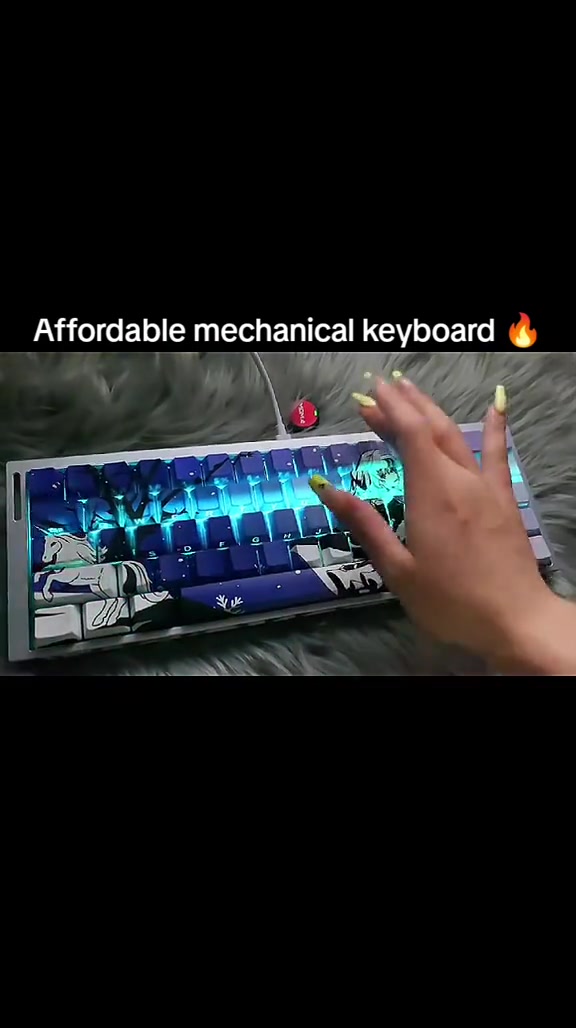
The hand keeps pressing the keys on the keyboard. The keyboard backlight switches from cyan blue to rainbow gradient, green, blue and other colorful lighting effects in sequence, clearly showing the RGB lighting effect and key feel of the keyboard.
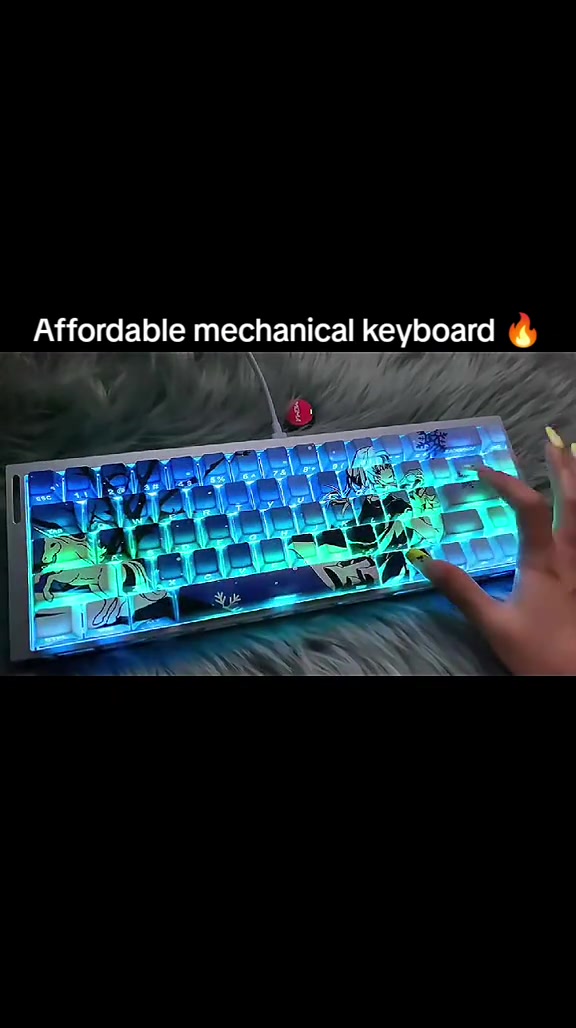
The hand moves out of the frame. The keyboard backlight switches to red-blue gradient again and then returns to the iconic cyan blue backlight, fully showing the final lighting effect and overall appearance of the entire keyboard.
Frequently asked questions
Questions about this video’s creative strategy, creator, metrics, and creating a similar video.
This video uses a “No Hook” opening. The classification is based on the collected video content and available analysis fields, and can help explain how the first few seconds attract attention.
Its primary selling angle is “No clear selling angle” and its content structure is “First-person POV.” Use these as strategic references, then adapt the execution to your own product, audience, and brand voice.
The current dataset identifies CoreTech Hub as the video creator. The creator name links to the corresponding public TikTok profile when available; account details may change over time.
Yes, you can use it as a creative reference. Octer extracts the hook, pacing, content structure, and presentation pattern, then combines them with your product information instead of directly copying the original footage.
No. The page shows the most recently collected public video and product data. Values may lag because of platform updates, reporting periods, or market changes, so treat them as research signals rather than real-time reporting.
Do not directly reuse the original creator’s footage, music, likeness, or brand assets. Confirm your rights to all product and generated assets, and follow TikTok Shop, advertising-market, and applicable local rules before publishing.